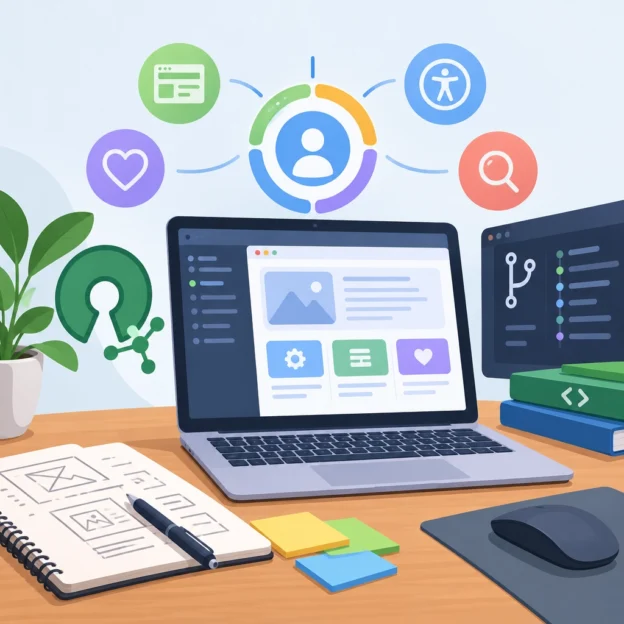
Exploring User-Centric Design in Open Source Software Projects

Exploring User-Centric Design in Open Source Software Projects

Open source software is built in public: people can inspect the code, suggest changes, and help shape what comes next. But visible code isn’t the whole story. A project can be technically impressive and still leave people confused about how to install it, use it, or ask for help.

That’s where user-centric design matters. It means making decisions with the people who use a project in mind—not just the people who build it. In open source, those users might be developers, designers, researchers, educators, or someone trying the software for the first time. Their needs and levels of experience can vary widely.

More than a polished interface

User-centric design is often mistaken for visual design alone. A clean interface can help, but the experience begins much earlier: with finding the project, understanding what it does, and deciding whether it fits a particular need.

A newcomer might ask: Is this software maintained? Which version should I download? What happens to my data? A clear project description, current installation instructions, and honest information about limitations can answer these questions before a user ever opens the application.

Once they begin using it, small details matter. Are error messages understandable? Can users recover from a mistake? Do the defaults make sense? These are design questions, even when the answers involve documentation, command-line behavior, or project policies rather than a graphical interface.

Open source has a built-in advantage

Because open source development happens in the open, projects have many opportunities to learn from users. Issue trackers, discussion forums, community chats, and user-contributed documentation can reveal where people get stuck or what they need most.

But feedback doesn’t arrive in a neat, balanced package. People who are comfortable filing detailed bug reports may be overrepresented, while beginners or users with less time may simply leave. A flurry of feature requests can also distract from a basic problem, such as confusing setup instructions.

Listening well means looking for patterns, not just counting requests. If several people independently ask how to complete the same task, that may signal a usability gap. If users repeatedly misunderstand a feature, the project may need clearer language or a different default—not necessarily more functionality.

Make contributing welcoming, too

A user-friendly project is easier to contribute to. That starts with practical basics: a clear “getting started” guide, a contribution guide, and a Code of Conduct that explains how people are expected to treat one another.

The tone of community interactions matters just as much. A terse response to a beginner’s question can discourage future participation, even if the technical answer is correct. Friendly, specific guidance helps people learn and makes the project more resilient by welcoming contributors with different skills.

Not everyone can contribute code. Users might improve translations, test a release, report an accessibility issue, write a tutorial, or help another newcomer in a forum. Recognizing these contributions broadens the project’s understanding of its audience—and gives more people a meaningful way to take part.

Accessibility is part of usability

Designing for a wider range of users also means considering accessibility. For a web interface, that might involve keyboard navigation, readable contrast, captions, and compatibility with screen readers. For a command-line tool, it could mean clear output, sensible error handling, and not relying on color alone to communicate important information.

Accessibility improvements often benefit everyone. Keyboard shortcuts help experienced users move faster. Clear labels help people who are tired, distracted, or working in a second language. Plain-language documentation makes complicated tools less intimidating.

Projects don’t need to solve everything at once. Starting with a few common tasks—such as making a key workflow usable without a mouse or reviewing whether error messages explain what to do next—can lead to meaningful progress.

Turn good intentions into habits

User-centric design doesn’t require a large research team or a complete redesign. It can begin with simple, ongoing practices:

  • Ask users what they are trying to accomplish, not only which feature they want.
  • Test installation and common workflows with someone unfamiliar with the project.
  • Review support questions for recurring points of confusion.
  • Include accessibility and documentation work in project planning.
  • Explain design decisions, especially when a requested change isn’t feasible.

Most importantly, treat usability as part of quality, not as a finishing touch. Every release, tutorial, support response, and community interaction shapes how people experience a project.

Open source thrives when more people can use it, understand it, and contribute to it. Keeping those people in view doesn’t diminish the technical ambition of a project; it helps that ambition reach further.
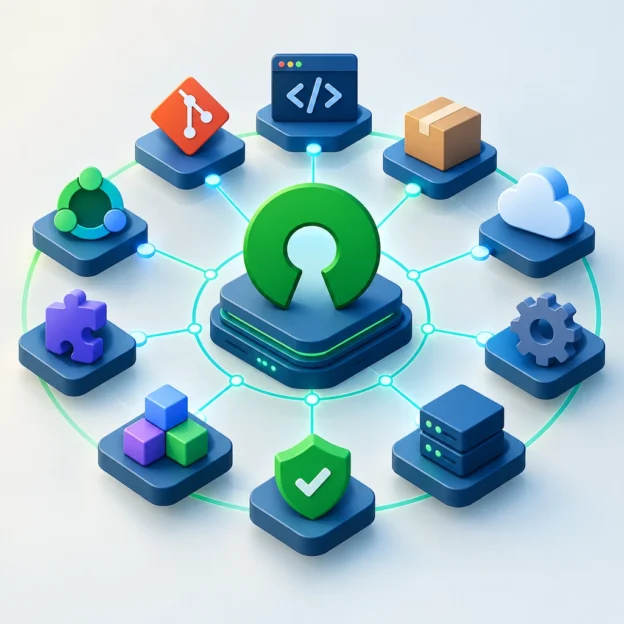
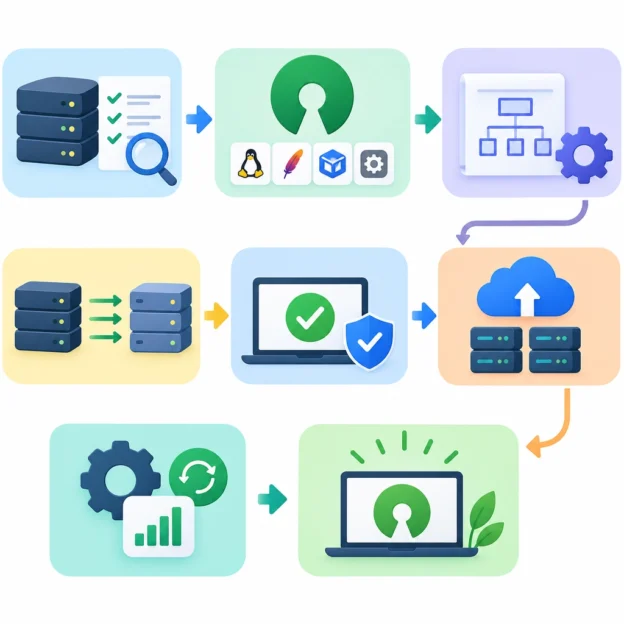
Building a Robust Open Source Software Ecosystem

Building a Robust Open Source Software Ecosystem

Open source software powers much of the digital world, from the tools developers use every day to the infrastructure behind major online services. But a healthy ecosystem doesn’t appear simply because code is available on the internet. It depends on people, institutions, and practices that help projects remain useful, secure, and welcoming over time.

Building that ecosystem is a shared effort. Maintainers write and review code, users report problems, companies provide funding and expertise, and communities help newcomers find their place. When these contributions work together, open source can become more than a collection of repositories—it can become a durable foundation for innovation.

Make projects easier to join

A project’s first interaction with a potential contributor often happens before they write a single line of code. They may read the README, look for installation instructions, or try to understand how to report a bug. If those steps are confusing, even an enthusiastic newcomer may move on.

Clear documentation lowers the barrier to participation. A good project explains what it does, how to get started, where to ask questions, and what kinds of contributions are welcome. Contribution guides, issue templates, and a small list of beginner-friendly tasks can turn uncertainty into a practical next step.

Just as importantly, projects need to treat people well. Respectful communication and predictable review practices make it easier for contributors to stay involved. Communities don’t need to be perfect, but they should have clear expectations for conduct and a fair way to address problems.

Support maintainers, not just code

Many open source projects rely on a small number of maintainers who handle everything from reviewing pull requests to answering user questions. That work can become overwhelming, especially when a project is widely used but receives little direct support.

A stronger ecosystem recognizes maintenance as ongoing work. Organizations that depend on open source can contribute by sponsoring maintainers, funding foundations, paying employees to work on shared projects, or helping with tasks such as testing, documentation, and security reviews. These contributions don’t all need to be large. Consistent support can be more valuable than a one-time donation.

Companies can also make their involvement more sustainable by avoiding a “use it for free and ask for favors” approach. If a project is important to a business, that business should consider contributing resources in proportion to its reliance on the project.

Treat security as a shared responsibility

Open source transparency makes it possible for many people to inspect code, but visibility alone doesn’t guarantee security. Vulnerabilities still need to be found, reported responsibly, fixed, and communicated to users. Dependencies must be tracked, and releases need reliable processes.

Project teams can strengthen security by adopting practices that fit their size and risk level: automated testing, dependency checks, clear vulnerability-reporting instructions, and signed or otherwise verifiable releases. Larger projects may benefit from independent audits and dedicated security teams.

The wider community has a role here, too. Organizations should keep track of the open source components they use and be prepared to help maintain them. Security is not a task that can be handed off entirely to volunteers after a flaw is discovered.

Build for continuity

A project’s long-term health depends on more than its current roadmap. What happens if its main maintainer steps away? Can someone else make a release, review changes, or access essential project accounts?

Shared ownership, documented release procedures, and more than one trusted maintainer help reduce these risks. So does making project decisions in public, where future contributors can understand why choices were made. These habits may seem modest, but they can make the difference between a project that survives a leadership change and one that quietly stalls.

Interoperability matters as well. Projects that follow common standards and work well with other tools give users more flexibility and reduce dependence on any single vendor or community.

Measure success by community health

Downloads and stars can show that a project is popular, but they don’t reveal whether it is sustainable. A more useful picture includes the number of active maintainers, how quickly contributions receive attention, whether security issues are handled responsibly, and whether newcomers can participate.

The goal isn’t to turn every project into a large organization. Some tools are intentionally small, and that can be healthy. The point is to match expectations and support to the project’s real role. A widely relied-on component may need more formal governance and funding than a personal utility.

A robust open source ecosystem is built one practical choice at a time: clear documentation, fair collaboration, reliable funding, careful security work, and plans for continuity. When users and organizations contribute as thoughtfully as maintainers do, open source becomes more resilient—and everyone who depends on it benefits.

The Ethics of Software Freedom in the Age of Proprietary Solutions

The Ethics of Software Freedom in the Age of Proprietary Solutions

Most of us use proprietary software every day without giving it much thought. We send messages through platforms we can’t inspect, save documents in formats controlled by a single company, and rely on apps that may change their rules overnight. The convenience is real—and so are the questions those arrangements raise.

Software freedom is about more than whether a program is free of charge. It concerns whether people can understand, use, modify, and share the tools they depend on. That principle becomes especially important as software increasingly mediates our work, relationships, finances, and access to information.

Convenience has a cost

Proprietary software can be polished, reliable, and easy to use. A company may invest heavily in design, support, security, and features that would be difficult for a volunteer-led project to provide. For many people and organizations, choosing a familiar commercial product is a practical decision, not an ethical failure.

But convenience can come with trade-offs. A service may collect more personal data than users expect, limit how they can export their work, or change its pricing and features without meaningful input from its customers. When a tool becomes essential, leaving it may be difficult—even if its policies no longer match what users want.

This is sometimes called vendor lock-in: the more of your work, communication, or infrastructure tied to one provider, the more costly it becomes to switch. The ethical issue isn’t simply that a company owns its software. It’s that users can become dependent on decisions they have little power to shape.

Freedom is a matter of control

Open-source and free-software projects offer a different model. Their code is available for people to inspect, adapt, and share under specific licenses. That openness can support transparency, collaboration, and long-term access. If a developer abandons a useful project, others may be able to continue it. If an organization needs a feature, it can sometimes build or commission the change itself.

Still, open-source software is not automatically ethical or secure. Public code can contain vulnerabilities, and a project’s maintainers may have too little time or funding to address them. Nor does access to source code guarantee that everyday users can meaningfully influence how a tool is built. Freedom on paper is most valuable when people also have the resources, skills, and support to use it.

That distinction matters. A small nonprofit may technically be free to migrate to an open-source platform, but lack the staff to manage the transition. A school may want to reduce dependence on a vendor yet still need dependable technical support. Ethical choices should account for those realities rather than treating every user as if they had the same options.

The people behind the software

There is also a human cost hidden in debates about “free” software. Many widely used open-source projects rely on a handful of maintainers, often working without adequate pay. Companies may benefit from their work while contributing little in return. Celebrating software freedom while ignoring the labor that sustains it is a contradiction.

Supporting freedom can mean choosing open tools where they fit. It can also mean funding maintainers, paying for professional support, contributing documentation, or encouraging employers to give staff time for community projects. Freedom is not maintained by good intentions alone; it takes care and resources.

Meanwhile, proprietary companies can act responsibly, too. Clear privacy policies, accessible pricing, strong security practices, data portability, and honest communication can give customers more agency—even when the underlying code remains closed.

Making better choices

No one needs to replace every app at once. A more useful starting point is to ask a few practical questions: Can I export my data in a usable format? What information does this tool collect? What happens if the service closes or changes its terms? Is there a viable alternative, and would switching be realistic for me?

The answers can help people and organizations make deliberate choices rather than defaulting to whatever is most popular. Sometimes the best option will be a commercial product. Sometimes it will be an open alternative. Often, it will be a mix.

Software freedom isn’t a demand for purity. It’s a reminder that the tools we rely on shape who has power, who carries risk, and who gets a say. In an age when software touches nearly every part of life, choosing tools thoughtfully—and supporting the people who build them—is one way to make that power a little more visible and shared.

How to Successfully Migrate to Open Source Software

How to Successfully Migrate to Open Source Software

Moving to open source software can bring greater flexibility, lower licensing costs, and more control over your technology. But a successful migration is about more than choosing a popular tool and installing it. It takes planning, testing, and support for the people who will use it.

Here’s how to make the transition smoother—and avoid turning a promising change into a frustrating one.

Start with the problem, not the product

Before comparing open source options, identify what you want to improve. Are licensing costs rising? Is your current software difficult to customize? Do you want to avoid dependence on a single vendor, or make your systems easier to inspect and adapt?

Write down the features you genuinely need, as well as the ones that would simply be nice to have. This helps prevent a common mistake: selecting software because it is widely discussed, then discovering that it does not fit your organization’s day-to-day work.

Also consider the full cost of ownership. Open source software may have no license fee, but migration, hosting, support, training, and maintenance can all require time and money.

Choose software with care

A strong project is more than a promising feature list. Look for signs that it is actively maintained and used by a healthy community. Check when updates were last released, how quickly security issues are addressed, and whether documentation is clear and current.

It’s also worth reviewing:

  • Compatibility: Will the software work with your existing devices, systems, and file formats?
  • Support options: Is there a professional support provider, or will your team rely on community forums?
  • Security practices: How are vulnerabilities reported and fixed?
  • Licensing: Do the license terms suit how you plan to use, modify, or distribute the software?
  • Exit options: Can you export your data in a usable format if your needs change?

Open source does not automatically mean “free of risk.” A thoughtful evaluation helps you understand both the benefits and the responsibilities.

Map out the migration

Treat the migration like a project, not a weekend experiment. Identify who is responsible for technical decisions, data transfer, testing, training, and communication. Set a realistic timeline with room for unexpected issues.

Before moving anything, take stock of your current setup. Document applications, integrations, user accounts, data formats, and workflows. Pay special attention to systems that depend on one another—an application may appear easy to replace until you discover that it feeds reports or automates a routine task.

Make backups before transferring data, and define how you’ll check that the migration worked. That might include confirming that records are complete, files open correctly, permissions are preserved, and key integrations still function.

Test with a pilot group

Rather than switching everyone at once, start with a small pilot. Choose a team or workflow that is important enough to give you meaningful feedback, but manageable enough to support closely.

Ask pilot users to try real tasks, not just explore the interface. Can they complete their usual work? What feels confusing? Which features are missing, and which old habits are no longer necessary?

Use what you learn to refine settings, documentation, and training before expanding the rollout. A pilot can reveal practical problems that a technical checklist misses—such as a confusing approval process or a file format that a partner cannot open.

Support the people behind the change

Even excellent software can struggle if users feel the change has been imposed on them. Explain why the organization is migrating, what will be different, and where people can get help. Be honest about trade-offs: a new tool may improve flexibility while requiring users to learn a different workflow.

Offer training in short, practical sessions. Quick-start guides, short videos, and internal help channels can be more useful than a single dense manual. Identify a few confident early adopters who can answer common questions and share tips with colleagues.

Keep the old system available briefly where possible, especially if users need time to retrieve information or adjust to new processes. Set a clear transition date so temporary overlap does not become permanent confusion.

Keep improving after launch

The migration is not finished when the software goes live. Monitor performance, security updates, user feedback, and support requests. Assign someone to keep the system maintained, review updates, and track any custom changes your organization has made.

It also helps to define what success looks like. You might measure reduced costs, fewer workflow bottlenecks, stronger data control, or user satisfaction. These measures show whether the migration is delivering the benefits you expected—and where further adjustments are needed.

Open source migration works best as a steady, collaborative change rather than a dramatic switch. Start with clear goals, test carefully, and give people the support to adapt. With that foundation in place, open source software can become not just a cheaper alternative, but a tool your organization understands and can shape for itself.

The Role of Open Source Software in Education and Learning

The Role of Open Source Software in Education and Learning

Education is built on sharing: teachers pass along knowledge, students learn from one another, and communities develop ideas together. Open source software follows a similar principle. Its code is available for people to use, study, adapt, and improve, making it more than a budget-friendly alternative to commercial tools. It can also become a practical way to teach collaboration, creativity, and digital literacy.

Making learning tools more accessible

For schools and learners with limited budgets, software costs can be a real barrier. Open source tools are often free to use, which can help schools equip classrooms without paying for large license packages. Students can also install many of the same tools at home, making it easier to continue learning beyond the classroom.

The options are broad. Students might use LibreOffice for documents and presentations, GIMP for image editing, or programming tools such as Python and Scratch to explore coding. Learning platforms like Moodle can support online courses and class resources. These tools don’t cover every need, and some may require setup or technical support, but they can give schools more flexibility in how they build their technology toolkit.

Accessibility is not only about price. Open formats can make it easier to share and preserve work without relying on one company’s software. And when a school can adapt a tool to suit its own needs, teachers may be better able to support different languages, curricula, and learning styles.

Learning how technology works

Most people use software without seeing what happens behind the screen. Open source makes it possible to look beneath the surface. For students, that can turn technology from a mysterious product into something they can investigate.

In a programming class, learners can read existing code, test changes, and see how those changes affect the result. They might fix a small bug, add a feature, or create a version of a tool for a particular classroom project. Even students who don’t become software developers can benefit from learning how digital systems are designed and maintained.

This kind of hands-on experience encourages useful habits: asking questions, testing ideas, documenting changes, and learning from mistakes. It also helps students understand that software is created by people—and that digital tools can be shaped, rather than simply accepted as they are.

Practicing collaboration beyond the classroom

Open source projects are often built by people working together across schools, workplaces, and countries. Students can participate in that kind of collaboration in manageable ways, such as translating instructions, writing documentation, reporting a problem, or contributing a small code change.

These tasks show that valuable contributions aren’t limited to advanced programmers. Clear writing, design, testing, accessibility feedback, and community support all help a project succeed. Students can see how a shared goal brings different skills together—and how constructive feedback can improve an idea.

A classroom project can also borrow this approach without involving a public software community. Students might work in groups on a shared resource, review one another’s work, and keep a record of how the project develops. The process makes learning more active and gives students practice in communicating and revising their ideas.

Giving teachers room to adapt

Teachers work with different students, schedules, and resources. Open source software can offer more freedom to adjust technology to those circumstances. A school may customize a learning platform, add a language option, or choose tools that work well on older computers.

That flexibility comes with responsibilities. Open source does not automatically mean easy to install, easy to maintain, or perfectly suited to every classroom. Schools still need to consider updates, privacy, security, technical support, and staff training. A free tool can require time and expertise, so it’s worth looking at the full cost of using it—not just the price tag.

Teachers also need to choose tools with learning goals in mind. The most useful software is not necessarily the one with the most features; it’s the one that helps students practice, create, and understand.

Open source software can help make digital learning more affordable, adaptable, and participatory. Its greatest contribution may be the mindset it encourages: tools are made by people, improved through shared effort, and open to new ideas. When students get the chance to explore and contribute, they don’t just learn how to use technology—they begin to see themselves as capable of shaping it.

What Businesses Need to Know About Software Development Costs

What Businesses Need to Know About Software Development Costs

Building custom software can help a business serve customers better, streamline operations, or launch an entirely new product. But before a project gets underway, one question tends to loom large: How much will it cost?

There’s no universal price tag. Software development costs depend on what you’re building, how complex it is, and what happens after the first version launches. Understanding the main cost drivers can help you plan a realistic budget and make better decisions along the way.

The biggest cost drivers

Scope and features have the most direct effect on cost. A simple internal tool with a few workflows is usually less demanding than a customer-facing platform with user accounts, payments, reporting, and multiple integrations. Each feature requires design, development, testing, and often ongoing support.

It can be tempting to include every idea from the start. But a long feature list can increase costs before you know which features users actually need. Many businesses begin with a minimum viable product (MVP): a focused first version that solves the most important problem. An MVP isn’t a shortcut around quality; it’s a way to test assumptions before investing in a larger product.

Integrations can also add complexity. Connecting software to payment providers, inventory systems, customer databases, or older business tools may involve extra development and testing. Even when a third-party service offers an API, making the connection secure and reliable takes work.

Then there’s platform choice. A web application, a mobile app, and desktop software each have different requirements. If you need both iOS and Android apps, ask whether a cross-platform approach makes sense for your product, or whether separate native apps are justified. The right choice depends on your users, features, performance needs, and long-term plans.

Don’t overlook design, testing, and security

Development isn’t just writing code. Product planning and user experience design help teams work out how the software should behave and make it intuitive to use. Skipping this work may seem like a way to save money, but unclear requirements and confusing interfaces often lead to rework later.

Testing is just as important. Software needs to be checked for bugs, compatibility issues, performance problems, and security weaknesses. The more the system does—and the more business-critical it is—the more carefully it should be tested. Security requirements may include access controls, encryption, audit logs, or compliance work, depending on the industry and the data involved.

These elements may not be as visible as new features, but they can make the difference between a product that works in a demo and one people can rely on.

Plan for the full lifecycle, not just launch

A common budgeting mistake is treating launch as the finish line. Software needs maintenance: operating systems and browsers change, third-party services get updated, and bugs sometimes appear once real users put a product through its paces.

You may also need ongoing hosting, monitoring, customer support, and improvements based on feedback. If the product becomes popular, infrastructure may need to scale too. These costs vary widely, so it’s wise to discuss post-launch responsibilities early and include them in your financial plan.

Get estimates you can actually compare

A development estimate is only as useful as the assumptions behind it. Before asking for a quote, describe the users, the problem the software should solve, the essential features, and any systems it needs to connect with. You don’t need a perfect technical specification, but clarity helps teams identify risks and avoid guessing.

When comparing proposals, look beyond the total. Check what’s included: discovery, design, testing, deployment, documentation, and support may be treated differently by different providers. Ask what could change the estimate and how changes will be approved. A very low quote may leave out important work—or reflect a different understanding of the project.

It can also help to break the project into stages. A discovery phase can clarify requirements and reduce uncertainty before a larger commitment. Regular demos and checkpoints make it easier to catch misunderstandings while they’re still manageable.

Spend where it matters

The goal isn’t to find the cheapest software project. It’s to invest in a solution that meets your needs without paying to build things you don’t yet understand. Start with the business problem, prioritize what users truly need, and leave room in the budget for testing and ongoing care. With a clear scope and honest conversations about trade-offs, software costs become easier to manage—and the result is more likely to be worth the investment.

Best Practices for Contributing to Open Source Projects

Best Practices for Contributing to Open Source Projects

Open source can feel like a massive public workshop: people from around the world build, fix, and improve software together. If you’re new to contributing, it’s tempting to start by diving straight into the code. But successful contributions often begin with something simpler: understanding the project and communicating well.

Whether you’re fixing a typo or proposing a major feature, a thoughtful approach helps maintainers review your work—and makes the experience more rewarding for everyone.

Start by learning the project

Before making changes, spend some time exploring the project’s README, contribution guide, code of conduct, and issue tracker. These resources explain how the project is organized, what kinds of contributions are welcome, and how maintainers prefer to work.

Try installing or running the project, too. A little hands-on familiarity can help you understand how its pieces fit together and how to reproduce a problem. If the project has a community chat, discussion board, or mailing list, browse recent conversations to get a sense of its norms.

Not every project uses the same tools or expectations. Following its own guidance is usually more helpful than relying on a generic tutorial.

Choose a contribution that fits

A good first contribution doesn’t need to be impressive or complicated. Documentation improvements, small bug fixes, tests, and clear issue reports can all make a real difference.

Look for issues labeled “good first issue” or “help wanted,” but read them carefully. Check whether someone is already working on the task, and make sure you understand the problem before volunteering. If the issue is unclear—or you’re considering a larger change—ask a question or share your plan first. A quick conversation can prevent hours of work on something the project doesn’t need.

It’s also fine to contribute without writing code. You might improve a tutorial, test a new release, clarify an issue, or help answer questions in the community.

Keep changes focused

When you’re ready to work, aim for a small, specific change. A focused pull request is easier to review, test, and maintain than a large bundle of unrelated edits.

Before changing behavior, look for existing conventions in the codebase. Use the project’s style, naming patterns, and tools where possible. Avoid adding extra features or reorganizing unrelated code unless the maintainers have agreed that it’s in scope.

If you’re changing a user-facing feature, consider whether documentation should be updated as well. If you’re fixing a bug, a test that reproduces it can help show that the problem is resolved—and guard against it returning later.

Make your pull request easy to review

A clear pull request (PR) description saves reviewers time. Explain what the change does, why it’s needed, and how you tested it. If it addresses an issue, link to that issue. Include screenshots or examples when they help demonstrate a visual or behavioral change.

Before submitting, run the relevant tests and checks described in the project’s instructions. Review your own diff, too. Look for accidental changes, debug output, unfinished notes, or files that don’t belong. If a check fails for a reason you can’t resolve, mention that plainly rather than leaving reviewers to guess.

A PR is a conversation, not just a package of code. Respond to review comments with an open mind, ask for clarification when needed, and make requested updates in a timely way. It’s normal for a contribution to go through several rounds of feedback.

Communicate with care

Open source communities bring together people with different backgrounds, experience levels, and communication styles. Be patient, respectful, and specific. When reporting a bug, include steps to reproduce it, what you expected to happen, and what happened instead. Helpful details make it easier for others to act.

Maintainers are often volunteers balancing project work with jobs and personal commitments. A delay doesn’t necessarily mean your contribution has been ignored. If you need to follow up, do so politely and give people time to respond.

Likewise, don’t take requested changes as a personal criticism. Reviewers are usually trying to protect the project’s quality, consistency, or long-term maintainability.

Make contributing sustainable

You don’t need to fix everything or become a project expert overnight. Start small, learn as you go, and choose work that fits your time and interests. If you’re unsure where to begin, introduce yourself and ask what would be useful.

The strongest open source contributions are built on more than code. Curiosity, clear communication, respect for the community, and a willingness to collaborate all help projects thrive. Bring those habits to your first contribution, and you’ll be helping create not only better software, but a better place for others to contribute too.

Innovative Startups Fueled by Open Source Development

How Open Source Is Fueling a New Generation of Startups

Some of today’s most exciting startups aren’t building everything from scratch. They’re building on open source.

Open-source software—technology whose code is publicly available to use, study, and often modify—has become a powerful launchpad for new businesses. It gives founders access to tools that once required large engineering teams and substantial budgets. Just as importantly, it lets them test ideas with real users before committing to a full commercial product.

The result is a startup landscape where innovation can move quickly, with communities helping shape what comes next.

A faster way to get started

Starting a company is a race against time and limited resources. Open-source frameworks, databases, and development tools can cut months from the early stages of building a product.

A small team, for example, can use existing machine-learning libraries to create an AI-powered service, or rely on open-source infrastructure to launch an app without designing every component itself. Instead of reinventing standard tools, founders can focus their effort on what makes their product distinctive: its user experience, workflow, or understanding of a specific market.

That speed matters. Startups can share an early version with customers, gather feedback, and adjust before spending heavily on features people may not need.

A community can be part of the product

Open source offers something beyond code: a built-in opportunity to collaborate.

Developers who use a project may report bugs, suggest improvements, write documentation, or contribute features. Their feedback can reveal what works in practice—and what doesn’t—across many different environments. For startups, that community can become an informal testing network and a source of product ideas.

A vibrant project can also attract users before a company has a big marketing budget. Developers often discover tools through GitHub, technical forums, newsletters, and recommendations from peers. When a project genuinely solves a problem, people may spread the word because they want to use it, not because they were targeted by an ad.

Of course, a community isn’t a substitute for customer research. Contributors and paying customers may have different needs. Startups still have to listen carefully and decide which requests fit their product’s direction.

Turning free software into a business

If the core code is openly available, where does the revenue come from? Startups have several options.

Some offer a hosted version of their software. Customers can use the service without managing servers, updates, or maintenance themselves. Others charge for enterprise features, such as advanced security, access controls, compliance tools, or priority support. Consulting, training, and custom integrations can also provide income.

This approach can lower the barrier to trying a product. A developer might begin with the free, self-managed version, then recommend the paid service when their team needs convenience or additional safeguards.

But the business model needs to match the project’s license and community expectations. If users feel that a company benefits from their contributions while giving little back, trust can erode. Successful open-source companies tend to be clear about what is free, what is paid, and how they support the project.

Trust and transparency as advantages

Open-source development can help startups earn credibility, especially when their software handles important data or runs inside a customer’s infrastructure. Customers can inspect the code, evaluate how a tool works, and see how quickly issues are addressed.

Transparency does not automatically mean a product is secure or reliable. A public codebase still needs careful maintenance, security reviews, and responsive support. Yet openness can make scrutiny easier—and invite more people to spot problems.

It also gives customers flexibility. They may be less worried about being locked into a vendor if the underlying code can be moved, adapted, or maintained independently. For businesses wary of putting essential systems in the hands of a young company, that can make a new product easier to adopt.

The trade-offs behind the opportunity

Open source isn’t a shortcut to guaranteed success. Supporting a popular project takes time, and turning community interest into dependable revenue can be difficult. Startups must balance free contributions with paid work, avoid overpromising support, and plan for the long-term health of the code.

There are practical risks, too: licensing requirements, dependency security, and the possibility that a larger company could build on the same project. Strong execution, customer relationships, and a clear product vision still matter.

Open source gives startups a different kind of starting point: shared tools, visible work, and a chance to build alongside users rather than behind closed doors. The strongest companies treat it not simply as a way to reduce costs, but as a way to earn trust and create something useful with others. When that collaboration is matched with a sustainable business, a small idea can grow into technology that reaches far beyond its original team.

The Connection Between Software Freedom and User Empowerment

The Connection Between Software Freedom and User Empowerment

Most of us use software every day without thinking much about who controls it. We open an app, store our photos in the cloud, edit a document, or ask a device to do something for us. The tools may feel personal, but the rules behind them—what we’re allowed to change, where our information goes, and how long we can keep using them—are usually set by someone else.

That’s where software freedom comes in. It’s not just an abstract principle for programmers. It’s closely tied to a practical question: How much control do people have over the technology they rely on?

What does software freedom mean?

Software is often described as “free” when users have the freedom to run it, study how it works, modify it, and share it with others. This is different from simply being free of charge. A free download can still restrict what you do with the program, while software that costs money can still give users meaningful freedoms.

These rights matter because software influences everyday choices. It can determine whether you can open a file years from now, move your data to a different service, fix a security problem, or adapt a tool to fit your needs. When only the vendor can make those decisions, users have limited room to act.

Freedom turns users into participants

Consider a note-taking app. If it stores your notes in a closed format and offers no easy way to export them, you may feel stuck even if a better option appears. If the software uses open formats and lets you move your data, switching becomes a real choice.

That ability to choose is a basic form of empowerment. It reduces dependence on a single company and gives people more say over how their digital lives are organized. Users can select tools that match their priorities, whether that means privacy, accessibility, cost, or a specific feature.

The same idea applies to customization. A school may need software that works well with assistive technologies. A small business may want to add a feature that fits its workflow. A community organization may need a version that runs on older computers. When software can be studied and modified, people are not limited to the assumptions made by its original designers.

Transparency makes trust more meaningful

Software often handles sensitive things: messages, financial records, health information, and personal photos. Yet users may have little visibility into what a program does behind the scenes.

Freedom to inspect software can help independent experts find flaws and explain how a tool behaves. It doesn’t guarantee that every program is safe or that every user will read its code. But it makes review possible, rather than requiring everyone to take a company’s word for it.

This matters especially when software is used in public services, education, and civic life. If a tool affects people’s access to essential services, the ability to examine and question it can support accountability. Technology becomes easier to trust when it can be checked.

Shared software can strengthen communities

Software freedom also changes who gets to contribute. In a closed system, improvements typically depend on the company that owns the product. In an open project, users, developers, researchers, and organizations can work together to fix problems or build new features.

That collaboration can spread the benefits beyond the original creators. A fix made by one person may help thousands of others. A tool developed for one community might be adapted by another. And because people can share improvements, useful ideas don’t have to remain locked inside a single organization.

This doesn’t mean every project is welcoming, well-maintained, or easy to use. Communities still need funding, good leadership, and thoughtful design. But freedom creates the possibility for broader participation—and participation is a powerful form of agency.

A more empowered digital life

Software freedom is not about rejecting every commercial product or expecting everyone to become a programmer. Most people simply want tools that work. The key is whether they can make meaningful choices when those tools stop working for them, no longer meet their needs, or handle their information in ways they don’t accept.

A free digital tool can give people room to understand, adapt, and move on. It can make technology feel less like something imposed and more like something people can shape together. In a world where so much of daily life depends on software, that room to choose is more than a technical detail—it’s part of what it means to have control over your own life.

Leveraging Open Source to Enhance Business Agility

Leveraging Open Source to Enhance Business Agility

Business agility is the ability to respond quickly when customer needs, market conditions, or business priorities change. That might mean launching a new digital service, adjusting a product, or finding a better way to serve customers. Open-source software can help organizations make those moves with greater speed and flexibility—not because it’s automatically free or effortless, but because it gives teams more control over the tools they build with.

Move faster without starting from scratch

Many open-source projects provide ready-made building blocks for common business needs: databases, analytics platforms, development frameworks, automation tools, and more. Instead of creating every component internally, teams can adapt proven software and focus their time on what makes their product or service distinctive.

This can shorten the path from idea to experiment. A team exploring a new customer portal, for example, might use an open-source framework to assemble a prototype quickly. They can gather feedback, refine the experience, and decide what to invest in next—without waiting for a lengthy software procurement or development cycle.

Speed matters, but so does the ability to change direction. Open source often makes it easier to modify software when requirements evolve, rather than being limited to a vendor’s roadmap or a fixed set of features.

Give teams more room to experiment

Agile organizations learn by testing ideas. Open-source tools can lower the barriers to those tests, particularly when a team needs to evaluate a new technology before making a major commitment.

Developers can explore a project, run a small pilot, and see whether it fits the organization’s needs. If it does, the company can expand its use. If it doesn’t, the team can move on with useful lessons rather than being locked into a large purchase or a specialized platform.

That flexibility can also support collaboration. Open-source projects often have public documentation, active user communities, and contributions from organizations around the world. Teams can learn from existing solutions, share improvements, and benefit from a wider pool of ideas than they might find within their own company.

Reduce dependence on a single vendor

Relying heavily on one provider can create practical challenges. Pricing may change, product direction may shift, or a service may not support a new requirement. Open source can offer an alternative by giving organizations access to the underlying code and more choice in how they host, customize, and maintain a solution.

This doesn’t mean every company should manage all its own software. Many open-source products are offered through commercial services, support plans, or managed hosting. The important difference is that organizations can often choose among providers or take more direct control if their needs change.

That option can improve negotiating power and make long-term technology planning less dependent on a single vendor’s decisions.

Treat governance as part of agility

Open source isn’t a shortcut around planning. Software still needs to be evaluated, maintained, and secured. A project that appears simple to adopt may require substantial work to integrate with existing systems or keep up to date.

Organizations should consider how actively a project is maintained, whether it meets security and compliance needs, and who will be responsible for ongoing support. They should also track software components and their licenses, especially when open-source code is included in products the company distributes.

Clear guidelines help teams move quickly without creating unnecessary risk. A central team can provide approved tools and standards while allowing individual groups to experiment within sensible boundaries. The goal isn’t to control every technical decision; it’s to make responsible choices easier.

Build skills alongside the technology

The value of open source depends in part on the people using it. Teams need the skills to assess projects, contribute improvements, manage updates, and troubleshoot issues. Investing in training and encouraging knowledge-sharing can prevent organizations from adopting tools that only one person understands.

It also helps to think beyond software costs. Even when there are no license fees, implementation, hosting, support, and maintenance all require time and resources. A realistic assessment considers the total effort involved—and compares it with the flexibility and capabilities the organization gains.

Open source can make a business more agile by giving teams useful building blocks, more freedom to experiment, and greater control over how technology evolves. Its biggest benefit may be the mindset it encourages: learn from others, adapt what works, and improve continuously. With thoughtful governance and investment in people, open source can help businesses respond to change without having to rebuild everything from the ground up.